
A Typing Journey
What is Colemak?
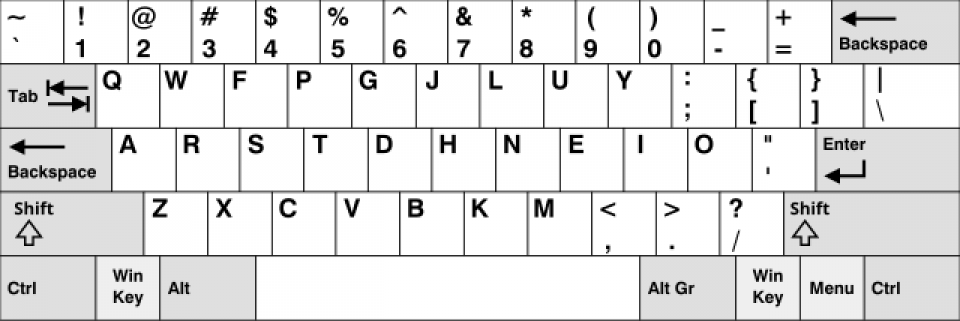
Colemak Layout
For those unfamiliar, Colemak is an alternative keyboard layout designed to improve typing efficiency and ergonomics. Unlike the Dvorak layout, which dramatically reconfigures key positions, Colemak retains many QWERTY habits while rearranging keys to minimize finger movement. The result? Less strain and potentially faster typing.
A Typing Journey Inspired by My Son
About a month ago (2024-10-16), my son introduced me to the Colemak keyboard layout. My 11-year-old son, who's always exploring new tech trends, mentioned Colemak that can help to improve his typing speed. At the time his speed is aroud 25 WPM (words per minute), and he decided to customize his Keychron V1 keyboard through the https://usevia.app/ to map key-by-key from QWERTY to Colemak, which could have an easier way by changing the keyboard layout in his Windows instead :D
He said to me, "You should try it, Dad." Here was my child encouraging me to take on challenge and I thought, why not? If he did, I should too.
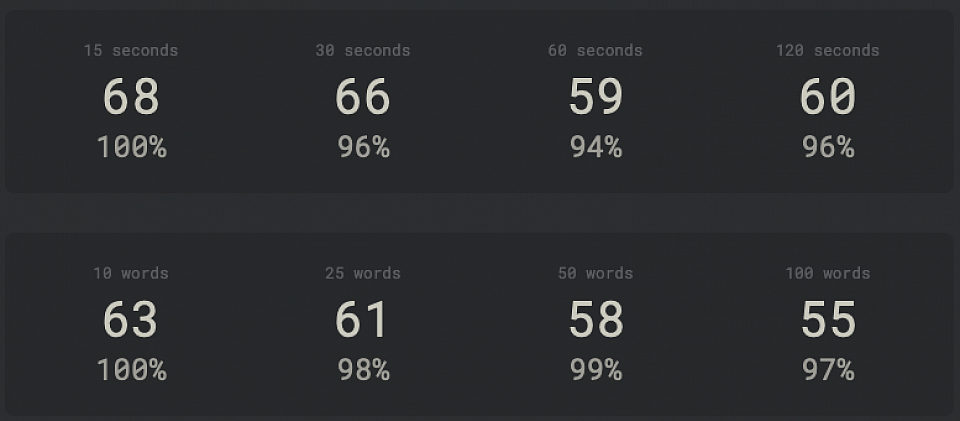
My profile on monkeytype.com
Stats after 47 days
Here are my monkey-type scores word per minute (WPM) with the percentage of accuracy.
The first row contains my rough stats on Qwerty before switching to Colemak.
The second is the inprogress Colemak.
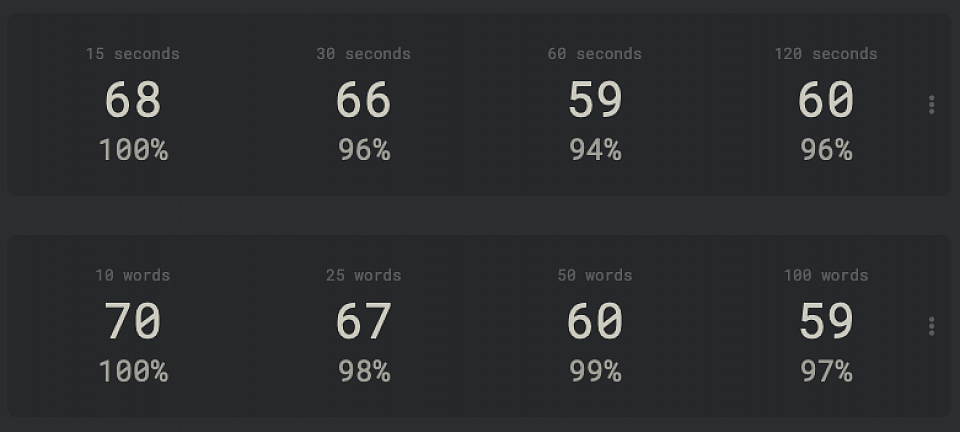
It performs at about the same speed as QWERTY.
2 months (or exactly 61 days)
Bringing my Colemak speed up to my QWERTY level wasn’t easy, but the journey taught me patience and persistence. Now, not only am I typing just as fast as I did with QWERTY, but I also feel less strain on my fingers.
Heat Map
Here’s the data that convinced me to redesign my personal keyboard layout. 😁
I used three free public domain books to create the heat map. When comparing older layouts, the newer ones usually offer better insights.
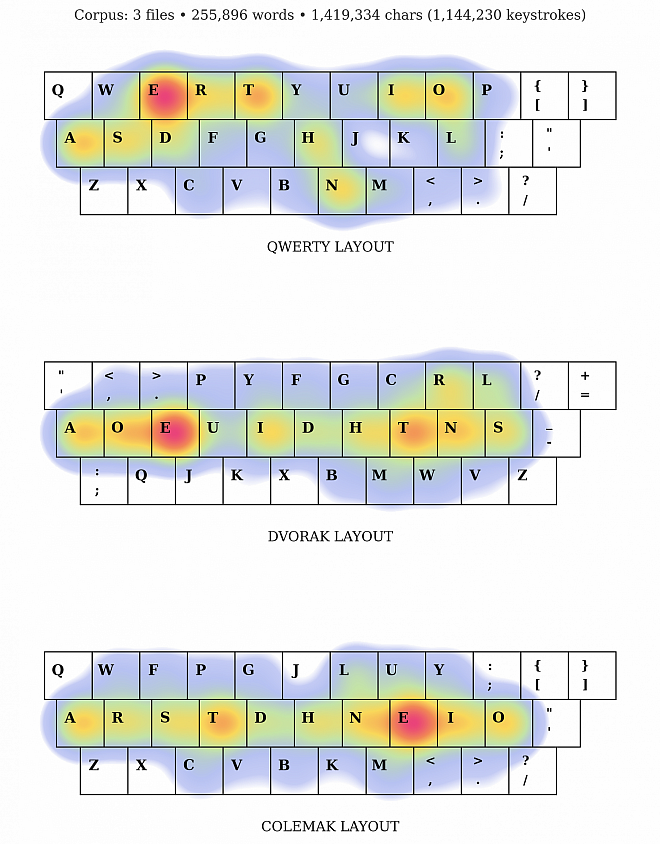
qwerty,dvorak,colemak heat map from three free books
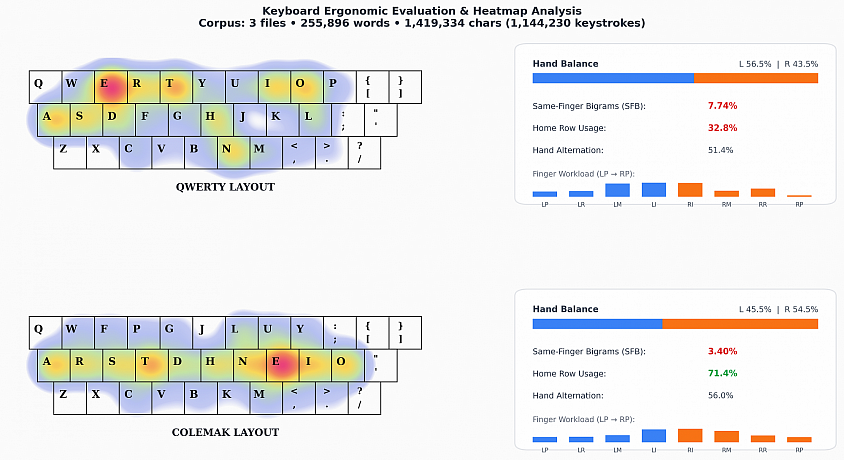
Files: frankenstein.pdf, pride_and_prejudice.pdf, the_great_gatsby.pdf
Here's a cool analysis based on over 1.14 million keystrokes from 3 classic books that shows why switching to Colemak just feels way comfier:
- Home Row Comfort (where your fingers chill):
– Colemak: 71.4% of typing stays right on the home row
– QWERTY: Just 32.8% (meaning you’re jumping up to the top row half the time!) - Same-Finger Strain (how often the same finger hits consecutive letters):
– Colemak: 3.40%
– QWERTY: 7.74% (that’s more than double the strain and awkward finger stretches) - Hand Balance (left vs right hand use):
– Colemak: 45.5% Left / 54.5% Right (nice, almost even split)
– QWERTY: 56.5% Left / 43.5% Right (leans heavily on the left hand) - Rhythm & Flow:
– Colemak offers 56% hand alternation plus smooth inward finger rolls, which really cuts down on finger fatigue.